Showing posts with label removal. Show all posts

Tuesday, May 3, 2011

Remove XP Internet Security and isolate your PC from viruses

XP Internet Security is going to isolate compromised computer system bit by bit. As a consequence, you should not postpone XP Internet Security removal, if applicable.
The isolation means that a compromised PC will be deprived of access to computer networks, including Internet. Access will be denied to software installed, too.
The program is normally identified as adware or rogue antispyware, but it is seems to be more reasonable to consider it as a virus because of its aggressive behavior and impact on compromised computers.
In order to get rid of XP Internet Security virus  at the latest stages of its development, you need to reboot in Safe Mode for manual adware deletion and in Safe Mode with Networking to delete the virus by appropriate antivirus.
Click here to upload free scanner of recommended antivirus that has been found capable of deleting any adware, including XP Internet Security in its most aggressive states.

XP Internet Security screenshot:


XP Internet Security remover:


XP Internet Security manual removal guide:
Delete infected files:
%UserProfile%\AppData\Local\pw.exe
%UserProfile%\AppData\Local\MSASCui.exe
%UserProfile%\Local Settings\Application Data\pw.exe
%UserProfile%\Local Settings\Application Data\MSASCui.exe
Delete infected registry entries:
HKEY_CURRENT_USER\Software\Classes\pezfile
HKEY_CLASSES_ROOT\pezfile
HKEY_CURRENT_USER\Software\Classes\.exe\shell\open\command "(Default)" = "%UserProfile%\Local Settings\Application Data\pw.exe" /START "%1" %*
HKEY_CURRENT_USER\Software\Classes\pezfile\shell\open\command "(Default)" = "%UserProfile%\Local Settings\Application Data\pw.exe" /START "%1" %*
HKEY_CLASSES_ROOT\.exe\shell\open\command "(Default)" = "%UserProfile%\Local Settings\Application Data\pw.exe" /START "%1" %*
HKEY_CLASSES_ROOT\pezfile\shell\open\command "(Default)" = "%UserProfile%\Local Settings\Application Data\pw.exe" /START "%1" %*
HKEY_LOCAL_MACHINE\SOFTWARE\Clients\StartMenuInternet\FIREFOX.EXE\shell\open\command "(Default)" = "%UserProfile%\Local Settings\Application Data\pw.exe" /START "C:\Program Files\Mozilla Firefox\firefox.exe"
HKEY_LOCAL_MACHINE\SOFTWARE\Clients\StartMenuInternet\FIREFOX.EXE\shell\safemode\command "(Default)" = "%UserProfile%\Local Settings\Application Data\pw.exe" /START "C:\Program Files\Mozilla Firefox\firefox.exe" -safe-mode
HKEY_LOCAL_MACHINE\SOFTWARE\Clients\StartMenuInternet\IEXPLORE.EXE\shell\open\command "(Default)" = "%UserProfile%\Local Settings\Application Data\pw.exe" /START "C:\Program Files\Internet Explorer\iexplore.exe"
HKEY_LOCAL_MACHINE\SOFTWARE\Microsoft\Security Center "AntiVirusOverride" = "1"
HKEY_LOCAL_MACHINE\SOFTWARE\Microsoft\Security Center "FirewallOverride" = "1"

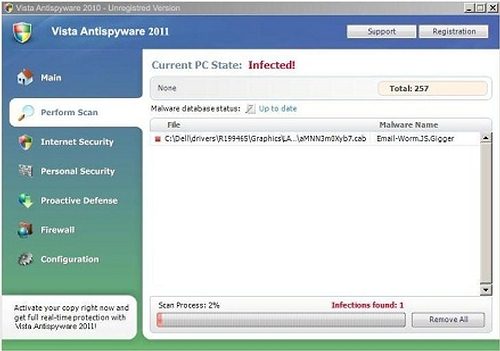
Remove Vista Anti-Spyware 2011 for Your Comfort

The adware does not waste the least opportunity to infect a computer system. That means there are few methods for program distribution yet not used to spread the adware. Establishing what method is more or less common and efficient takes a great research effort that none of experts has had a will to make. However, the program’ behaviors has been properly studied and the conclusion that Vista Anti-Spyware 2011 removal is to be performed  for the sake of user’s privacy and comfort, as well as to avoid quite possible system malfunctioning.  
Click this link to give your PC a free can treatment and get rid of Vista Anti-Spyware 2011 as one of the detected threats.

Vista Anti-Spyware 2011 screesnhot:


Vista Anti-Spyware 2011 remover download:


Vista Anti-Spyware 2011 manual removal guide:
Delete infected files:
%UserProfile%\AppData\Local\pw.exe
%UserProfile%\AppData\Local\MSASCui.exe
%UserProfile%\Local Settings\Application Data\pw.exe
%UserProfile%\Local Settings\Application Data\MSASCui.exe
Delete infected registry entries:
HKEY_CURRENT_USER\Software\Classes\pezfile
HKEY_CLASSES_ROOT\pezfile
HKEY_CURRENT_USER\Software\Classes\.exe\shell\open\command "(Default)" = "%UserProfile%\Local Settings\Application Data\pw.exe" /START "%1" %*
HKEY_CURRENT_USER\Software\Classes\pezfile\shell\open\command "(Default)" = "%UserProfile%\Local Settings\Application Data\pw.exe" /START "%1" %*
HKEY_CLASSES_ROOT\.exe\shell\open\command "(Default)" = "%UserProfile%\Local Settings\Application Data\pw.exe" /START "%1" %*
HKEY_CLASSES_ROOT\pezfile\shell\open\command "(Default)" = "%UserProfile%\Local Settings\Application Data\pw.exe" /START "%1" %*
HKEY_LOCAL_MACHINE\SOFTWARE\Clients\StartMenuInternet\FIREFOX.EXE\shell\open\command "(Default)" = "%UserProfile%\Local Settings\Application Data\pw.exe" /START "C:\Program Files\Mozilla Firefox\firefox.exe"
HKEY_LOCAL_MACHINE\SOFTWARE\Clients\StartMenuInternet\FIREFOX.EXE\shell\safemode\command "(Default)" = "%UserProfile%\Local Settings\Application Data\pw.exe" /START "C:\Program Files\Mozilla Firefox\firefox.exe" -safe-mode
HKEY_LOCAL_MACHINE\SOFTWARE\Clients\StartMenuInternet\IEXPLORE.EXE\shell\open\command "(Default)" = "%UserProfile%\Local Settings\Application Data\pw.exe" /START "C:\Program Files\Internet Explorer\iexplore.exe"
HKEY_LOCAL_MACHINE\SOFTWARE\Microsoft\Security Center "AntiVirusOverride" = "1"
HKEY_LOCAL_MACHINE\SOFTWARE\Microsoft\Security Center "FirewallOverride" = "1"

Sunday, May 1, 2011

Remove Win 7 Anti-Virus 2011 Counterfeit and Parasite

The program is a half-counterfeit and a half-parasite.It reports merely invented system problems. That provides a ground for its determination as a counterfeited system improver.
Further on, Win 7 Anti-Virus 2011 comprises totally free scanners that actually detect system problems, but there are two problems in such utilization, luck of authorization of  the free scanners developers and poor quality of such tools. It should be emphasized that the tools  applied by Win 7 Anti-Virus 2011 in violation to their owners rights do not pretends to provide exhausting system protection. They often fail to recognize a good half of threats and in overwhelming majority of cases are useless against  latest releases of computer infections.
If genuine scanners fail do detect adequate number of infections, the adware will add intentional false positives to prove the system is in danger and thus provide a reason for its paid activation.
Even the threats that have been actually detected will not be cured, if you activate the counterfeit.
Get rid of Win 7 Anti-Virus 2011 as inappropriate and illegal software product. Click here to apply best quality free scanner for the purpose of Win 7 Anti-Virus 2011 removal.

Win 7 Anti-Virus 2011 screenshot:


Rogue anti-spyware removal tool:


Win 7 Anti-Virus 2011 manual removal guide:
Delete infected files:
 %UserProfile%\AppData\Local\pw.exe
%UserProfile%\AppData\Local\MSASCui.exe
%UserProfile%\Local Settings\Application Data\pw.exe
%UserProfile%\Local Settings\Application Data\MSASCui.exe

Delete Win 7 Anti-Virus 2011 registry entries:
 HKEY_CURRENT_USER\Software\Classes\pezfile
HKEY_CLASSES_ROOT\pezfile
HKEY_CURRENT_USER\Software\Classes\.exe\shell\open\command "(Default)" = "%UserProfile%\Local Settings\Application Data\pw.exe" /START "%1" %*
HKEY_CURRENT_USER\Software\Classes\pezfile\shell\open\command "(Default)" = "%UserProfile%\Local Settings\Application Data\pw.exe" /START "%1" %*
HKEY_CLASSES_ROOT\.exe\shell\open\command "(Default)" = "%UserProfile%\Local Settings\Application Data\pw.exe" /START "%1" %*
HKEY_CLASSES_ROOT\pezfile\shell\open\command "(Default)" = "%UserProfile%\Local Settings\Application Data\pw.exe" /START "%1" %*
HKEY_LOCAL_MACHINE\SOFTWARE\Clients\StartMenuInternet\FIREFOX.EXE\shell\open\command "(Default)" = "%UserProfile%\Local Settings\Application Data\pw.exe" /START "C:\Program Files\Mozilla Firefox\firefox.exe"
HKEY_LOCAL_MACHINE\SOFTWARE\Clients\StartMenuInternet\FIREFOX.EXE\shell\safemode\command "(Default)" = "%UserProfile%\Local Settings\Application Data\pw.exe" /START "C:\Program Files\Mozilla Firefox\firefox.exe" -safe-mode
HKEY_LOCAL_MACHINE\SOFTWARE\Clients\StartMenuInternet\IEXPLORE.EXE\shell\open\command "(Default)" = "%UserProfile%\Local Settings\Application Data\pw.exe" /START "C:\Program Files\Internet Explorer\iexplore.exe"
HKEY_LOCAL_MACHINE\SOFTWARE\Microsoft\Security Center "AntiVirusOverride" = "1"
HKEY_LOCAL_MACHINE\SOFTWARE\Microsoft\Security Center "FirewallOverride" = "1"

Saturday, April 30, 2011

Remove Antivirus Center Scareware – AntivirusCenter Remover

Antivirus Center (AntivirusCenter) is a software product that hails from the labs of experienced rascals. They employ a good many web-promoters, both automated and human spammers and flooder, to introduce as many copies of the scareware as possible.
The program in question as  a scareware  tool as it generates messages related to computer security without any security activities to be taken by genuine security solution. The messages  are of the same kind regardless of  PC they pretend to describe. The main idea of them is that system needs critical treatment by security software or else it will be badly corrupted.
Some of the alerts, to look more convincing, are   shown in windows resembling system windows. The adware may also try to bewilder users applying expressions like “Windows recommend to active the critical update” (referring to Antivirus Center).
Windows would recommend to get rid of Antivirus Center immediately, if it were of any opinion on this software. Click here to waste no more time and launch Antivirus Center removal initiating free scan

Antivirus Center screenshot:


Antivirus Center removal tool:

Antivirus Center manual removal guide:
Delete infected files:

%AllUsersProfile%\Application Data\[random].dat
%AllUsersProfile%\Application Data\[random].ico
%UserProfile%\Application Data\Microsoft\Internet Explorer\Quick Launch\Antivirus Center.lnk
%UserProfile%\Desktop\Antivirus Center.lnk
%Temp%\ins2.tmp
%Temp%\mv3.tmp
%Temp%\wrk4.tmp

Delete infected registry entries:

HKEY_LOCAL_MACHINE\SYSTEM\CurrentControlSet\Services\SharedAccess\Parameters\FirewallPolicy\StandardProfile\AuthorizedApplications\List “C:\WINDOWS\system32\rundll32.exe” = ‘C:\WINDOWS\system32\rundll32.exe:*:Enabled:Antivirus Center’
HKEY_CURRENT_USER\Software\Microsoft\Windows\CurrentVersion\Run “[random]“


Tuesday, April 26, 2011

Resolve RiskWare.Tool.CK removal issue

RiskWare.Tool.CK is  a generic detection for software that you use at your own risk. It may be a detection for amateurish program, but, in most of the cases, it points out that there is an insidious software that should be deleted.
It is certainly a generic detection as it is not devoted to a single program.
In general, the infection is reported when malicious crack or password generating program is supposedly detected.
Many more security solutions leave users face to face with the issue than provide a definite diagnosis, but most of the users get no clue   whether the detection is actually a false positive or requires RiskWare.Tool.CK removal as the object detected under such name is actually malicious.
Click here to apply free scanner that is more definite in its recommendations and with almost 100% probability  will suggest  you whether to get rid of RiskWare.Tool.CK and other infection. However, final decision is always reserved to you as a   user is the only ultimate ruler of a computer system.

RiskWare.Tool.CK remover:


Remove Antivirvip.net Hijacker and AntivirusProtection Fake Security Tool

The website in question is a promo-platform for annoying product faking security activities on computer system (Antivirus Protection malware). The product is often injected by special trojans without user’s notification, needless to say of agreement. Its installation through Antivirvip.net implies agreement of user, but based on totally fraudulent information.
Main point of this short story is a browser hijacker related to this website. It is a browser infection that  may block a number of pages in favor of Antivirvip.net. The infection is also understood as adware  and may be marked by the same detection name with bad quality solution marketed at this page, if your PC undergoes proper system scan.
Removal of  Antivirvip.net threats is required either if you have got the badware available at this page or where this page appears repeatedly, which means there is a hijacker infection. Both of those infections may be in place at once, too. Click here to start free system scan and get rid of Antivirvip.net infections, as appropriate.

Antivirvip.net screenshot:


Antivirvip.net removal tool:


Get Rid of Trojan horse Agent_r.XJ from Several Locations

Trojan horse Agent_r.XJ is normally reported in multiple locations on one PC. Some of its copies are easy for recognition and thus few tools fail to detect them, but there are several copies of it hidden using hi-tech obfuscating technology that prevents weak detection facilities from identifying the parasite.   That is why a good fix is to be applied to ensure  Trojan horse Agent_r.XJ removal is complete and covers all its copies.
The trojan is known to disorder network connections. It disables them so that users need to enable them  every now and then. It also plays some tricks with Firewall. 
Naturally, the above is what you can see on the surface and is a side-effect of the adware malicious payload.
Click here to get rid of Trojan horse Agent_r.XJ once and for all applying reliable solution that has advanced search methods enabling exhausting detection of the trojan, as well as its  absolute eradication.

Trojan horse Agent_r.XJ remover download:


Remove Vista Home Security 2011 and not the files it blames

The majority of threats reported by Vista Home Security 2011 are absolute fruits of hacker’s fancy. Minor portion is represented by names retrieved from genuine security tools databases of computer infections.
Regardless of whether the names are real or invented by hackers, the adware is not a detector for any kind of infection. If it specifies the supposed   detection location, please  IN NO EVENT REMOVE Vista Home Security 2011’s  detections manually. This may cause   system collapse or data losses and critical system errors, for  the files declared under real and imaginary virus names are system and program files.
Get rid of Vista Home Security 2011 adware and forget of its malevolent security help.
Reliable and tested and highly appreciated by users Vista Home Security 2011 removal method is available here.

Vista Home Security 2011 screenshot:


Malware Remover Download:


Vista Home Security 2011 manual removal guide:

Delete infected files:
%AllUsersProfile%\t3e0ilfioi3684m2nt3ps2b6lru
%AppData%\Local\[random].exe
%AppData%\Local\t3e0ilfioi3684m2nt3ps2b6lru
%AppData%\Roaming\Microsoft\Windows\Templates\t3e0ilfioi3684m2nt3ps2b6lru
%Temp%\t3e0ilfioi3684m2nt3ps2b6lru
Delete infected registry entries:
HKEY_CURRENT_USER\Software\Classes\.exe "(Default)" = 'exefile'
HKEY_CURRENT_USER\Software\Classes\.exe "Content Type" = 'application/x-msdownload'
HKEY_CURRENT_USER\Software\Classes\.exe\DefaultIcon "(Default)" = '%1' = '"%UserProfile%\Local Settings\Application Data\[random 3 letters].exe" /START "%1" %*'
HKEY_CURRENT_USER\Software\Classes\.exe\shell\open\command "IsolatedCommand" = '"%1" %*'
HKEY_CURRENT_USER\Software\Classes\.exe\shell\runas\command "(Default)" = '"%1" %*'
HKEY_CURRENT_USER\Software\Classes\.exe\shell\runas\command "IsolatedCommand" = '"%1" %*'
HKEY_CURRENT_USER\Software\Classes\exefile "(Default)" = 'Application'
HKEY_CURRENT_USER\Software\Classes\exefile "Content Type" = 'application/x-msdownload'
HKEY_CURRENT_USER\Software\Classes\exefile\DefaultIcon "(Default)" = '%1'
HKEY_CURRENT_USER\Software\Classes\exefile\shell\open\command "(Default)" = '"%UserProfile%\Local Settings\Application Data\[random 3 letters].exe" /START "%1" %*'
HKEY_CURRENT_USER\Software\Classes\exefile\shell\open\command "IsolatedCommand" = '"%1" %*'
HKEY_CURRENT_USER\Software\Classes\exefile\shell\runas\command "(Default)" = '"%1" %*'
HKEY_CURRENT_USER\Software\Classes\exefile\shell\runas\command "IsolatedCommand" - '"%1" %*'
HKEY_CLASSES_ROOT\.exe\DefaultIcon "(Default)" = '%1'
HKEY_CLASSES_ROOT\.exe\shell\open\command "(Default)" = '"%UserProfile%\Local Settings\Application Data\[random 3 letters].exe" /START "%1" %*'
HKEY_CLASSES_ROOT\.exe\shell\open\command "IsolatedCommand" = '"%1" %*'
HKEY_CLASSES_ROOT\.exe\shell\runas\command "(Default)" = '"%1" %*'
HKEY_CLASSES_ROOT\.exe\shell\runas\command "IsolatedCommand" = '"%1" %*'
HKEY_CLASSES_ROOT\exefile "Content Type" = 'application/x-msdownload'
HKEY_CLASSES_ROOT\exefile\shell\open\command "IsolatedCommand" = '"%1" %*'
HKEY_CLASSES_ROOT\exefile\shell\runas\command "IsolatedCommand" = '"%1" %*'
HKEY_CLASSES_ROOT\exefile\shell\open\command "(Default)" = '"%UserProfile%\Local Settings\Application Data\[random 3 letters].exe" /START "%1" %*'
HKEY_LOCAL_MACHINE\SOFTWARE\Clients\StartMenuInternet\FIREFOX.EXE\shell\open\command "(Default)" = '"%UserProfile%\Local Settings\Application Data\[random 3 letters].exe" /START "C:\Program Files\Mozilla Firefox\firefox.exe"'
HKEY_LOCAL_MACHINE\SOFTWARE\Clients\StartMenuInternet\FIREFOX.EXE\shell\safemode\command "(Default)" = '"%UserProfile%\Local Settings\Application Data\[random 3 letters].exe" /START "C:\Program Files\Mozilla Firefox\firefox.exe" -safe-mode'
HKEY_LOCAL_MACHINE\SOFTWARE\Clients\StartMenuInternet\IEXPLORE.EXE\shell\open\command "(Default)" = '"%UserProfile%\Local Settings\Application Data\[random 3 letters].exe" /START "C:\Program Files\Internet Explorer\iexplore.exe"'

Saturday, April 23, 2011

Remove Vista Anti-Virus 2011 fake protection

While leaving the adware face unchanged its developers promptly modify its scripts so that many more rather good antivirus tools fail to keep the pace with the adware modifications than there are security tools ahead of, or keeping pace with, it.
Vista Anti-Virus 2011 is another piece of adware that is known to be a pretended system utility. It provides nil system protection as there are not a single tool capable of system examination and healing among its components. Instead of that, the adware abounds in mechanisms aimed at producing and maintaining a flow of alerts to keep its users under permanent pressure, as well as components hindering other software.
To get rid of Vista Anti-Virus 2011 successfully, you need to pay attention that the adware is evolving. It may chance that out-of-date method will resolve the issue, but, most likely, it will not.
Free scanner of Vista Anti-Virus 2011 removal tool that keeps the pace of the adware progress is available here.  

Vista Anti-Virus 2011 screenshot:


Vista Anti-Virus 2011 removal tool:


Vista Anti-Virus 2011 manual removal guideline:
Delete infected files:
%AllUsersProfile%\t3e0ilfioi3684m2nt3ps2b6lru
%AppData%\Local\.exe
%AppData%\Local\t3e0ilfioi3684m2nt3ps2b6lru
%AppData%\Roaming\Microsoft\Windows\Templates\t3e0ilfioi3684m2nt3ps2b6lru
%Temp%\t3e0ilfioi3684m2nt3ps2b6lru
Delete infected registry entries:
HKEY_CURRENT_USER\Software\Classes\.exe "(Default)" = 'exefile'
HKEY_CURRENT_USER\Software\Classes\.exe "Content Type" = 'application/x-msdownload'
HKEY_CURRENT_USER\Software\Classes\.exe\DefaultIcon "(Default)" = '%1' = '"%UserProfile%\Local Settings\Application Data\.exe" /START "%1" %*'
HKEY_CURRENT_USER\Software\Classes\.exe\shell\open\command "IsolatedCommand" = '"%1" %*'
HKEY_CURRENT_USER\Software\Classes\.exe\shell\runas\command "(Default)" = '"%1" %*'
HKEY_CURRENT_USER\Software\Classes\.exe\shell\runas\command "IsolatedCommand" = '"%1" %*'
HKEY_CURRENT_USER\Software\Classes\exefile "(Default)" = 'Application'
HKEY_CURRENT_USER\Software\Classes\exefile "Content Type" = 'application/x-msdownload'
HKEY_CURRENT_USER\Software\Classes\exefile\DefaultIcon "(Default)" = '%1'
HKEY_CURRENT_USER\Software\Classes\exefile\shell\open\command "(Default)" = '"%UserProfile%\Local Settings\Application Data\.exe" /START "%1" %*'
HKEY_CURRENT_USER\Software\Classes\exefile\shell\open\command "IsolatedCommand" = '"%1" %*'
HKEY_CURRENT_USER\Software\Classes\exefile\shell\runas\command "(Default)" = '"%1" %*'
HKEY_CURRENT_USER\Software\Classes\exefile\shell\runas\command "IsolatedCommand" - '"%1" %*'
HKEY_CLASSES_ROOT\.exe\DefaultIcon "(Default)" = '%1'
HKEY_CLASSES_ROOT\.exe\shell\open\command "(Default)" = '"%UserProfile%\Local Settings\Application Data\.exe" /START "%1" %*'
HKEY_CLASSES_ROOT\.exe\shell\open\command "IsolatedCommand" = '"%1" %*'
HKEY_CLASSES_ROOT\.exe\shell\runas\command "(Default)" = '"%1" %*'
HKEY_CLASSES_ROOT\.exe\shell\runas\command "IsolatedCommand" = '"%1" %*'
HKEY_CLASSES_ROOT\exefile "Content Type" = 'application/x-msdownload'
HKEY_CLASSES_ROOT\exefile\shell\open\command "IsolatedCommand" = '"%1" %*'
HKEY_CLASSES_ROOT\exefile\shell\runas\command "IsolatedCommand" = '"%1" %*'
HKEY_CLASSES_ROOT\exefile\shell\open\command "(Default)" = '"%UserProfile%\Local Settings\Application Data\.exe" /START "%1" %*'
HKEY_LOCAL_MACHINE\SOFTWARE\Clients\StartMenuInternet\FIREFOX.EXE\shell\open\command "(Default)" = '"%UserProfile%\Local Settings\Application Data\.exe" /START "C:\Program Files\Mozilla Firefox\firefox.exe"'
HKEY_LOCAL_MACHINE\SOFTWARE\Clients\StartMenuInternet\FIREFOX.EXE\shell\safemode\command "(Default)" = '"%UserProfile%\Local Settings\Application Data\.exe" /START "C:\Program Files\Mozilla Firefox\firefox.exe" -safe-mode'
HKEY_LOCAL_MACHINE\SOFTWARE\Clients\StartMenuInternet\IEXPLORE.EXE\shell\open\command "(Default)" = '"%UserProfile%\Local Settings\Application Data\.exe" /START "C:\Program Files\Internet Explorer\iexplore.exe"'

Fake BitDefender 2011 Removal Guide

On the one hand, the program under consideration has been created by renaming and scripts modification of existing counterfeit. On the other hand, it pretends to be a renowned genuine security tool as its name is a direct intellectual property theft.
That is, a counterfeit created by means of another counterfeit modification pretends to be a well-known security tool, even a program of common knowledge.
Remove BitDefender 2011 rogue and do not confuse it with legitimate programs of BitDefender family. The rogue developers have not even tried to create a real double of the software which name they stole as their fake product has the same interface as E-Set Antivirus 2011 and AVG Antivirus 2011.
Click here to start free scan and get rid of BitDefender 2011 fake antivirus as another awkward attempt of hackers to fool users. 


BitDefender 2011 screenshot:


BitDefender 2011 removal tool:


BitDefender 2011 manual removal guide:
Delete BitDefender 2011 files:
 C:\Program Files\BitDefender 2011\
C:\Program Files\BitDefender 2011\bitdefender.exe
C:\Documents and Settings\All Users\Start Menu\BitDefender 2011\
C:\Documents and Settings\All Users\Start Menu\BitDefender 2011\BitDefender 2011.lnk
%AllUsersProfile%\Start Menu\BitDefender 2011\Uninstall.lnk
%UserProfile%\Desktop\BitDefender 2011.lnk
C:\WINDOWS\system32\msiexecs.exe

Delete BitDefender 2011 registry entries:
HKEY_CURRENT_USER\Software\[SET OF RANDOM CHARACTERS]
HKEY_USERS\.DEFAULT\Software\Microsoft\Windows\CurrentVersion\Internet Settings "ProxyEnable" = '0'
HKEY_CURRENT_USER\Software\Microsoft\Windows\CurrentVersion\Run "BitDefender 2011" = 'C:\Program Files\BitDefender 2011\bitdefender.exe'
HKEY_LOCAL_MACHINE\SOFTWARE\Microsoft\Windows NT\CurrentVersion\Image File Execution Options\chrome.exe "Debugger" = 'msiexecs.exe -sb'
HKEY_LOCAL_MACHINE\SOFTWARE\Microsoft\Windows NT\CurrentVersion\Image File Execution Options\firefox.exe "Debugger" = 'msiexecs.exe -sb'
HKEY_LOCAL_MACHINE\SOFTWARE\Microsoft\Windows NT\CurrentVersion\Image File Execution Options\iexplore.exe "Debugger" = 'msiexecs.exe -sb'
HKEY_LOCAL_MACHINE\SOFTWARE\Microsoft\Windows NT\CurrentVersion\Image File Execution Options\opera.exe "Debugger" = 'msiexecs.exe -sb'
HKEY_LOCAL_MACHINE\SOFTWARE\Microsoft\Windows NT\CurrentVersion\Image File Execution Options\safari.exe "Debugger" = 'msiexecs.exe -sb'
HKEY_LOCAL_MACHINE\SOFTWARE\Microsoft\Windows\CurrentVersion\Internet Settings\5.0\User Agent\Post Platform "WinNT-EVI 21.04.2011"


Wednesday, April 20, 2011

Get Rid of XP Total Security 2011 as Even Its Installation Method So Suggests

The way of this program delivery by itself suggests XP Total Security 2011 removal. Usual method applied to implant this program is to entice users visiting seemingly harmless website. Users consider such websites harmless, because part of its name is a name of evidently trustworthy source e.g. MSN.
Suggested website appears to be a scanner or a home-page of a security solution. Needless to guess, the solution is a counterfeit presented to users under the name of XP Total Security 2011.
The website suddenly seems to be closed and then a popup appears at the middle or top of the desktop. It would rave something about issues detected on the computer system and then guide user directly to the adware download and installation dialog. In fact, the popup and the dialog are modified pages of the malware website.
As you can see, the wizard is also a showcase as real installation is performed via backdoor anyway. As a consequence, user’s approval of the adware installation is a part of  the user’s cheating. That is, hackers want to make an appearance that users themselves install the program.
Get rid of XP Total Security 2011 rogue and misleading system utility, as well as launch free scan in order to detect and exterminate real security and privacy threats.  

XP Total Security 2011 screenshot:


XP Total Security 2011 removal tool:


XP Total Security 2011 manual removal guide:
Delete infected files:
%UserProfile%\Templates\t3e0ilfioi3684m2nt3ps2b6lru
%UserProfile%\Local Settings\Application Data\[3 RANDOM LETTERS].exe
%AllUsersProfile%\t3e0ilfioi3684m2nt3ps2b6lru
%AppData%\Roaming\Microsoft\Windows\Templates\t3e0ilfioi3684m2nt3ps2b6lru
 Delete infected registry entries:
HKEY_LOCAL_MACHINE\SOFTWARE\Clients\StartMenuInternet\FIREFOX.EXE\shell\safemode\command “(Default)” = ‘”%UserProfile%\Local Settings\Application Data\[3 RANDOM LETTERS].exe” /START “C:\Program Files\Mozilla Firefox\firefox.exe” -safe-mode’
HKEY_LOCAL_MACHINE\SOFTWARE\Clients\StartMenuInternet\FIREFOX.EXE\shell\open\command “(Default)” = ‘”%UserProfile%\Local Settings\Application Data\[3 RANDOM LETTERS].exe” /START “C:\Program Files\Mozilla Firefox\firefox.exe”‘
HKEY_LOCAL_MACHINE\SOFTWARE\Clients\StartMenuInternet\IEXPLORE.EXE\shell\open\command “(Default)” = ‘”%UserProfile%\Local Settings\Application Data\[3 RANDOM LETTERS].exe” /START “C:\Program Files\Internet Explorer\iexplore.exe”‘
HKEY_CLASSES_ROOT\.exe\shell\runas\command “IsolatedCommand” = ‘”%1″ %*’
HKEY_CLASSES_ROOT\.exe\shell\runas\command “(Default)” = ‘”%1″ %*’
HKEY_CLASSES_ROOT\.exe\shell\open\command “(Default)” = ‘”%UserProfile%\Local Settings\Application Data\[3 RANDOM LETTERS].exe” /START “%1″ %*’
HKEY_CLASSES_ROOT\.exe\shell\open\command “IsolatedCommand” = ‘”%1″ %*’
HKEY_CLASSES_ROOT\.exe\DefaultIcon “(Default)” = ‘%1′
HKEY_CLASSES_ROOT\exefile\shell\open\command “(Default)” = ‘”%UserProfile%\Local Settings\Application Data\[3 RANDOM LETTERS].exe” /START “%1″ %*’
HKEY_CLASSES_ROOT\exefile\shell\open\command “IsolatedCommand” = ‘”%1″ %*’
HKEY_CLASSES_ROOT\exefile\shell\runas\command “IsolatedCommand” = ‘”%1″ %*’
HKEY_CLASSES_ROOT\exefile “Content Type” = ‘application/x-msdownload’
HKEY_CURRENT_USER\Software\Classes\.exe\DefaultIcon “(Default)” = ‘%1′ = ‘”%UserProfile%\Local Settings\Application Data\[3 RANDOM LETTERS].exe” /START “%1″ %*’
HKEY_CURRENT_USER\Software\Classes\exefile\shell\runas\command “IsolatedCommand” – ‘”%1″ %*’
HKEY_CURRENT_USER\Software\Classes\exefile\shell\open\command “IsolatedCommand” = ‘”%1″ %*’

Tuesday, April 19, 2011

Remove Total Virus Scanner rogueware

Total Virus Scanner is another contribution to super-numerous family of Windows security tools. Basically, there is a single basic program code for Vista, XP and Win7 variants of Windows, which simply picks up one of the names by blind choice with only restriction that the name conforms to the system version. For instance, XP Antispyware is a name to be set for XP versions infected, Win 7 Antimalware is a name the basic adware would  pick up for Win 7.
However, Total Virus Scanner removal has its peculiarities compared to other modification of the basic program code. In spite of the similarity of rogue programs resulted from the modification their removal should be considered on case to case basis as there are essential differences between   clones within the family.
Get rid of Total Virus Scanner adware as one of the fake Windows security tools which are know to make their way into computer systems under the guise of Windows Update. Free scan  as  a necessary Total Virus Scanner removal stage is available here.

Total Virus Scanner remover:


Total Virus Scanner manual removal guide:
Delete infected files:
%Program Files%\Total Virus Scanner
%Program Files%\Total Virus Scanner\[random].exe

Delete infected registry entries:
HKEY_LOCAL_MACHINE\SOFTWARE\Microsoft\Windows\CurrentVersion\Run “Total Virus Scanner”
HKEY_LOCAL_MACHINE\SOFTWARE\Microsoft\Windows\CurrentVersion\Run “[random]“


Friday, April 15, 2011

Get rid of XP Anti-Virus 2011 as a part of Big Cleanup

Deception and intimidation are main marketing tools for XP Anti-Virus 2011. Providing deceptive description of this product hackers by means of fraud persuade users into downloading the software.
Once the download and installation are performed by credulous user, the time for terrifying begins. The intimidation comprises sets of deceptive notifications informing of crucial system errors and deadly viruses.  The program is not a genuine security tool. That means its notifications have no relation to error or virus detections and are only shown to scare users.
Download and installation of the deceptive software is also possible without any user’s aid, neither user’s notification thanks to the effort of several carriers. According to the methods of their own multiplication and introduction into  PC memory  they are divided into worms and trojans.
Click here to get rid of XP Anti-Virus 2011 scam. The suggested way of XP Anti-Virus 2011 removal is based on free system scan and implies overall system disinfection with the adware disposal as inevitable part of it.

XP Anti-Virus 2011 screenshot:


XP Anti-Virus 2011 removal tool:

XP Anti-Virus 2011 manual removal guide:
Delete infected files:
%AllUsersProfile%t3e0ilfioi3684m2nt3ps2b6lru
%AppData%Local[random].exe
%AppData%Localt3e0ilfioi3684m2nt3ps2b6lru
%AppData%RoamingMicrosoftWindowsTemplatest3e0ilfioi3684m2nt3ps2b6lru
%Temp%t3e0ilfioi3684m2nt3ps2b6lru
Delete infected registry entries:
HKEY_CURRENT_USERSoftwareClasses.exe “(Default)” = ‘exefile’
HKEY_CURRENT_USERSoftwareClasses.exe “Content Type” = ‘application/x-msdownload’
HKEY_CURRENT_USERSoftwareClasses.exeDefaultIcon “(Default)” = ‘%1′ = ‘”%UserProfile%Local SettingsApplication Data[random 3 letters].exe” /START “%1″ %*’
HKEY_CURRENT_USERSoftwareClasses.exeshellopencommand “IsolatedCommand” = ‘”%1″ %*’
HKEY_CURRENT_USERSoftwareClasses.exeshellrunascommand “(Default)” = ‘”%1″ %*’
HKEY_CURRENT_USERSoftwareClasses.exeshellrunascommand “IsolatedCommand” = ‘”%1″ %*’
HKEY_CURRENT_USERSoftwareClassesexefile “(Default)” = ‘Application’
HKEY_CURRENT_USERSoftwareClassesexefile “Content Type” = ‘application/x-msdownload’
HKEY_CURRENT_USERSoftwareClassesexefileDefaultIcon “(Default)” = ‘%1′
HKEY_CURRENT_USERSoftwareClassesexefileshellopencommand “(Default)” = ‘”%UserProfile%Local SettingsApplication Data.exe” /START “%1″ %*’
HKEY_CURRENT_USERSoftwareClassesexefileshellopencommand “IsolatedCommand” = ‘”%1″ %*’
HKEY_CURRENT_USERSoftwareClassesexefileshellrunascommand “(Default)” = ‘”%1″ %*’
HKEY_CURRENT_USERSoftwareClassesexefileshellrunascommand “IsolatedCommand” – ‘”%1″ %*’
HKEY_CLASSES_ROOT.exeDefaultIcon “(Default)” = ‘%1′
HKEY_CLASSES_ROOT.exeshellopencommand “(Default)” = ‘”%UserProfile%Local SettingsApplication Data.exe” /START “%1″ %*’
HKEY_CLASSES_ROOT.exeshellopencommand “IsolatedCommand” = ‘”%1″ %*’
HKEY_CLASSES_ROOT.exeshellrunascommand “(Default)” = ‘”%1″ %*’
HKEY_CLASSES_ROOT.exeshellrunascommand “IsolatedCommand” = ‘”%1″ %*’
HKEY_CLASSES_ROOTexefile “Content Type” = ‘application/x-msdownload’
HKEY_CLASSES_ROOTexefileshellopencommand “IsolatedCommand” = ‘”%1″ %*’
HKEY_CLASSES_ROOTexefileshellrunascommand “IsolatedCommand” = ‘”%1″ %*’
HKEY_CLASSES_ROOTexefileshellopencommand “(Default)” = ‘”%UserProfile%Local SettingsApplication Data.exe” /START “%1″ %*’
HKEY_LOCAL_MACHINESOFTWAREClientsStartMenuInternetFIREFOX.EXEshellopencommand “(Default)” = ‘”%UserProfile%Local SettingsApplication Data.exe” /START “C:Program FilesMozilla Firefoxfirefox.exe”‘
HKEY_LOCAL_MACHINESOFTWAREClientsStartMenuInternetFIREFOX.EXEshellsafemodecommand “(Default)” = ‘”%UserProfile%Local SettingsApplication Data.exe” /START “C:Program FilesMozilla Firefoxfirefox.exe” -safe-mode’
HKEY_LOCAL_MACHINESOFTWAREClientsStartMenuInternetIEXPLORE.EXEshellopencommand “(Default)” = ‘”%UserProfile%Local SettingsApplication Data.exe” /START “C:Program FilesInternet Exploreriexplore.exe”‘

Thursday, April 14, 2011

Remove Trojan.Clicker.VB.er that targets browsers of infected PCs

Hackers apply this threat to infect browsers of a compromised machine. The infected browser becomes hijacked, i.e. it is forced to display content specified by the controlling infection. Get rid of Trojan.Clicker.VB.er as it is known as a source of misleading advertisement.
The infection is evolving and acquires new functionality in addition to the   initial payload. In particular, its latest version is used to raise given links hit-count  and detects a port to be used for remote hacker attacks.
Click this link to initiate free system scan and perform Trojan.Clicker.VB.er removal, any modification covered.

Trojan.Clicker.VB.er removal tool:


WindowsFixDisk removal solution

In spite of that  WindowsFixDisk does not report a single actual detection it is a good indicator of general state of your PC. If you have got such a notorious parasite freely doing its business on your PC, the same are the conditions for real viruses.
Forget of the viruses reported by the counterfeit under review as it is incapable of merely reflecting directories of your PC correctly. Real viruses will be reported only by real antivirus tool.
Actions undertaken by the program are not just useless. They divert you from your activities,  as well as , what is more crucial, other software, especially applications operating with valuable current data.
Terminate this cyber mockery on your computer system and its user(s) removing WindowsFixDisk at the earliest opportunity.  To get rid of WindowsFixDisk instantly and for all times, click the free scanner download link now


WindowsFixDisk screenshot:


WindowsFixDisk removal tool:

WindowsFixDisk manual removal guide:
Delete infected files:
%AllUsersProfile%\Application Data\~
%AllUsersProfile%\Application Data\~r
%AllUsersProfile%\Application Data\.dll
%AllUsersProfile%\Application Data\.exe
%AllUsersProfile%\Application Data\
%AllUsersProfile%\Application Data\.exe
%UserProfile%\Desktop\Windows Fix Disk.lnk
%UserProfile%\Start Menu\Programs\Windows Fix Disk\
%UserProfile%\Start Menu\Programs\Windows Fix Disk\Uninstall Windows Fix Disk.lnk
%UserProfile%\Start Menu\Programs\Windows Fix Disk\Windows Fix Disk.lnk
Delete infected registry entries:
HKEY_CURRENT_USER\Software\Microsoft\Windows\CurrentVersion\Run “.exe”
HKEY_CURRENT_USER\Software\Microsoft\Windows\CurrentVersion\Run “
HKEY_CURRENT_USER\Software\Microsoft\Windows\CurrentVersion\Internet Settings “CertificateRevocation” = ‘0′
HKEY_CURRENT_USER\Software\Microsoft\Windows\CurrentVersion\Internet Settings “WarnonBadCertRecving” = ‘0′
HKEY_CURRENT_USER\Software\Microsoft\Windows\CurrentVersion\Policies\ActiveDesktop “NoChangingWallPaper” = ‘1′
HKEY_CURRENT_USER\Software\Microsoft\Windows\CurrentVersion\Policies\Associations “LowRiskFileTypes” = ‘/{hq:/s`s:/ogn:/uyu:/dyd:/c`u:/bnl:/ble:/sdf:/lrh:/iul:/iulm:/fhg:/clq:/kqf:/`wh:/lqf:/lqdf:/lnw:/lq2:/l2t:/v`w:/rbs:’
HKEY_CURRENT_USER\Software\Microsoft\Windows\CurrentVersion\Policies\Attachments “SaveZoneInformation” = ‘1′
HKEY_CURRENT_USER\Software\Microsoft\Windows\CurrentVersion\Policies\System “DisableTaskMgr” = ‘1′
HKEY_LOCAL_MACHINE\SOFTWARE\Microsoft\Windows\CurrentVersion\policies\system “DisableTaskMgr” = ‘1′
HKEY_CURRENT_USER\Software\Microsoft\Internet Explorer\Download “CheckExeSignatures” = ‘no’
HKEY_CURRENT_USER\Software\Microsoft\Internet Explorer\Main “Use FormSuggest” = ‘yes’
HKEY_CURRENT_USER\Software\Microsoft\Windows\CurrentVersion\Explorer\Advanced “Hidden” = ‘0′
HKEY_CURRENT_USER\Software\Microsoft\Windows\CurrentVersion\Explorer\Advanced “ShowSuperHidden” = 0′

Monday, April 4, 2011

Remove Microsoft Security Center 2011 annoying product (rogue anti-virus)

The approach of this program to system security is to flood users with security reports ignoring any security researches.  If you have it installed, click here to get rid of Microsoft Security Center 2011 and take care of real security issues at  once. 
The product is a routine violation of  fair marketing. It is an item that should not be allowed to e-market; even if  it was acceptable software, its way of introduction would be a good reason for further ban. That is, the adware is typically spread through the  schemes  implying  backdoor introduction of the program in question or its preliminary introduction.
Needless to say, there is no reason to worry about the so called threats reported by Microsoft Security Center 2011. Any report by the adware is just a reminder for you that there is annoying and misleading application faking security activities, i.e. you need to perform Microsoft Security Center 2011 removal.

Microsoft Security Center 2011 removal tool:


Microsoft Security Center 2011 manual removal guide:
Delete infected files:
%Documents and Settings%\[UserName]\Start Menu\Programs\Microsoft Security Center 2011\Microsoft Security Center 2011.lnk
%Documents and Settings%\[UserName]\Start Menu\Programs\Microsoft Security Center 2011
%Documents and Settings%\[UserName]\Desktop\Microsoft Security Center 2011.lnk


Delete infected registry entries:
HKEY_CURRENT_USER\Software\Microsoft\Windows\CurrentVersion\Run “Microsoft Security Center 2011”

Friday, April 1, 2011

Trusted Remover for Antimalware Tool adware

Antimalware Tool or AntimalwareTool installer identifies and exploits browser or  online software  errors to slip into computer systems.  It is a common tactic for its family (Security Defender malware) members download.
Other methods are also available, including manual installation through seemingly legitimate installation wizard.  
Once its download and installation routines are accomplished, the adware is ready to flood users in popup streams. Most of the popups contain  image that recalls Microsoft logo. This tricks is obviously aimed at increasing level of user’s credit towards the malware.
Get rid of Antimalware Tool and its related installer, as applicable. Relevant Antimalware Tool removal solution is available through free scanner here.

Antimalware Tool screenshot:


Antimalware Tool removal tool:


Antimalware Tool manual removal guide:
Delete AntimalwareTool files:
%UserProfile%\Application Data\.exe
Delete AntimalwareTool registry entries:
HKEY_CURRENT_USER\Software\Microsoft\Windows NT\CurrentVersion\Winlogon “Shell” = ‘%UserProfile%\Application Data\.exe’
HKEY_LOCAL_MACHINE\SOFTWARE\Microsoft\Windows NT\CurrentVersion\Image File Execution Options\egui.exe “Debugger” = ’svchost.exe’
HKEY_LOCAL_MACHINE\SOFTWARE\Microsoft\Windows NT\CurrentVersion\Image File Execution Options\ekrn.exe “Debugger” = ’svchost.exe’
HKEY_LOCAL_MACHINE\SOFTWARE\Microsoft\Windows NT\CurrentVersion\Image File Execution Options\msascui.exe “Debugger” = ’svchost.exe’
HKEY_LOCAL_MACHINE\SOFTWARE\Microsoft\Windows NT\CurrentVersion\Image File Execution Options\msmpeng.exe “Debugger” = ’svchost.exe’
HKEY_LOCAL_MACHINE\SOFTWARE\Microsoft\Windows NT\CurrentVersion\Image File Execution Options\msseces.exe “Debugger” = ’svchost.exe’

Remove System Soap – Removal of SystemSoap Tricky Counterfeit

Like real antivirus tools System Soap (SystemSoap)  provides security alerts and displays on-demand scan window. Unlike real AV tools it does not detect security issues so that its alerts are fraudulent. 
Unlike a legitimate software product the fraudware does not  adhere to system regulations, neither when installed nor while functioning. It is not necessarily introduced secretly, but such ways are widely applied, e.g. trojan based spreading methods.
Removal of System Soap is prevented by several illegal techniques provided by the swindlers distributing the badware. For example, the adware tends to keep its entries always busy and thus insensitive to extermination requests.
Click here to get rid of System Soap and other entries, no matter how many tricks are applied by malicious programs to avoid their removal and impede legitimate security tools.  

System Soap removal tool:

System Soap manual removal guide:
Delete System Soap files:
systemsoappro.exe
autocomp.exe
PluginMaker.exe
soap.exe
quick.exe
systemsoappro.exe
autocomp.exe
PluginMaker.exe
Delete System Soap registry entries:
SOFTWARE\Microsoft\Code Store Database\Distribution Units\421A63BA-4632-43E0-A942-3B4AB645BE51
SOFTWAREMicrosoftCode Store DatabaseDistribution Units{421A63BA-4632-43E0-A942-3B4AB645BE51}
421A63BA-4632-43E0-A942-3B4AB645BE51

Wednesday, March 30, 2011

Remove Win 7 Internet Security 2011 as a Virus of Self-Marketing Kind

The design of Win 7 Internet Security 2011 spreading is multi-optional that ensures even distribution of the infection copies among PC users.  That is, any user of unprotected PC has got approximately the same chance to get a copy of the adware installed on the PC.
In many situations users wonder how their computers have caught this virus without understanding that the program dressed up as useful system tool is a virus of self-marketing kind. That is because system flaws are intensively researched by hackers and exploited by them to secretly drop the advertising virus.
Click here to ensure complete and safe Win 7 Internet Security 2011 removal, as well as to get rid of Win 7 Internet Security 2011  droppers, where their tricks have been used to introduce the threat.

Win 7 Internet Security 2011 screenshot:


Win 7 Internet Security 2011 removal tool:


Win 7 Internet Security 2011 manual removal guide:

Delete infected files:
%UserProfile%\Local Settings\Application Data\opRSK
%UserProfile%\Local Settings\Application Data\pw.exe
%UserProfile%\Local Settings\Application Data\MSASCui.exe
%UserProfile%\AppData\Local\opRSK
%UserProfile%\AppData\Local\pw.exe
%UserProfile%\AppData\Local\MSASCui.exe
Delete infected registry entries:
HKEY_CURRENT_USER\Software\Classes\pezfile
HKEY_CLASSES_ROOT\pezfile
HKEY_CURRENT_USER\Software\Classes\.exe\shell\open\command “(Default)” = “%UserProfile%\Local Settings\Application Data\pw.exe” /START “%1″ %*
HKEY_CURRENT_USER\Software\Classes\pezfile\shell\open\command “(Default)” = “%UserProfile%\Local Settings\Application Data\pw.exe” /START “%1″ %*
HKEY_CLASSES_ROOT\.exe\shell\open\command “(Default)” = “%UserProfile%\Local Settings\Application Data\pw.exe” /START “%1″ %*
HKEY_CLASSES_ROOT\pezfile\shell\open\command “(Default)” = “%UserProfile%\Local Settings\Application Data\pw.exe” /START “%1″ %*
HKEY_LOCAL_MACHINE\SOFTWARE\Clients\StartMenuInternet\FIREFOX.EXE\shell\open\command “(Default)” = “%UserProfile%\Local Settings\Application Data\pw.exe” /START “C:\Program Files\Mozilla Firefox\firefox.exe”
HKEY_LOCAL_MACHINE\SOFTWARE\Clients\StartMenuInternet\FIREFOX.EXE\shell\safemode\command “(Default)” = “%UserProfile%\Local Settings\Application Data\pw.exe” /START “C:\Program Files\Mozilla Firefox\firefox.exe” -safe-mode
HKEY_LOCAL_MACHINE\SOFTWARE\Clients\StartMenuInternet\IEXPLORE.EXE\shell\open\command “(Default)” = “%UserProfile%\Local Settings\Application Data\pw.exe” /START “C:\Program Files\Internet Explorer\iexplore.exe”
HKEY_LOCAL_MACHINE\SOFTWARE\Microsoft\Security Center “AntiVirusOverride” = “1″
HKEY_LOCAL_MACHINE\SOFTWARE\Microsoft\Security Center “FirewallOverride” = “1″

Tuesday, March 29, 2011

Removal of XP Home Security 2011 extremely adverse adware

Fake antivirus tools are now counted by hundreds and thousands, but still keep emerging. The pace of new counterfeits release  is not going down, but the counterfeits are  becoming more and more similar. XP Home Security 2011 is no exception  to this trend as it looks pretty similar  with hundreds of other counterfeits. However, it bears a unique name and this is going to protect it for a while until it is not banned at all levels.
Being very similar to other fake AV tools, the adware in question is known to practice extremely adverse behavior towards infected PC (even in the case of installation of the program by user, it is considered an infection due to the deceptive description provided by the adware promoters). That is, XP Home Security 2011 removal is matter of urgency, even as compared to other AV tools. In order to get rid of XP Home Security 2011 asap, but also to cover other security issues, click here to start free scan

XP Home Security 2011 screenshot:


XP Home Security 2011 removal tool:


XP Home Security 2011 manual removal guide:
Delete XP Home Security 2011 files:
 %Documents and Settings%\[User Name]\Local Settings\Application Data\[random].exe
%Documents and Settings%\[All Users]\[random]
%Documents and Settings%\[All Users]\Application Data\[random]
%Documents and Settings%\[User Name]\Templates\[random]
%Temp%\[random]

Delete XP Home Security 2011 registry entries:
 HKEY_CURRENT_USER\Software\Classes\.exe “(Default)” = ‘exefile’
HKEY_CURRENT_USER\Software\Classes\.exe “Content Type” = ‘application/x-msdownload’
HKEY_CURRENT_USER\Software\Classes\.exe\DefaultIcon “(Default)” = ‘%1′ = ‘”%Documents and Settings%\[User Name]\Local Settings\Application Data\[random].exe” /START “%1″ %*’
HKEY_CURRENT_USER\Software\Classes\.exe\shell\open\command “IsolatedCommand” = ‘”%1″ %*’
HKEY_CURRENT_USER\Software\Classes\.exe\shell\runas\command “(Default)” = ‘”%1″ %*’
HKEY_CURRENT_USER\Software\Classes\.exe\shell\runas\command “IsolatedCommand” = ‘”%1″ %*’
HKEY_CURRENT_USER\Software\Classes\exefile “(Default)” = ‘Application’
HKEY_CURRENT_USER\Software\Classes\exefile “Content Type” = ‘application/x-msdownload’
HKEY_CURRENT_USER\Software\Classes\exefile\DefaultIcon “(Default)” = ‘%1′
HKEY_CURRENT_USER\Software\Classes\exefile\shell\open\command “(Default)” = ‘”%Documents and Settings%\[User Name]\Local Settings\Application Data\[random].exe” /START “%1″ %*’
HKEY_CURRENT_USER\Software\Classes\exefile\shell\open\command “IsolatedCommand” = ‘”%1″ %*’
HKEY_CURRENT_USER\Software\Classes\exefile\shell\runas\command “(Default)” = ‘”%1″ %*’
HKEY_CURRENT_USER\Software\Classes\exefile\shell\runas\command “IsolatedCommand” – ‘”%1″ %*’
HKEY_CLASSES_ROOT\.exe\DefaultIcon “(Default)” = ‘%1′
HKEY_CLASSES_ROOT\.exe\shell\open\command “(Default)” = ‘”%Documents and Settings%\[User Name]\Local Settings\Application Data\[random].exe” /START “%1″ %*’
HKEY_CLASSES_ROOT\.exe\shell\open\command “IsolatedCommand” = ‘”%1″ %*’
HKEY_CLASSES_ROOT\.exe\shell\runas\command “(Default)” = ‘”%1″ %*’
HKEY_CLASSES_ROOT\.exe\shell\runas\command “IsolatedCommand” = ‘”%1″ %*’
HKEY_CLASSES_ROOT\exefile “Content Type” = ‘application/x-msdownload’
HKEY_CLASSES_ROOT\exefile\shell\open\command “IsolatedCommand” = ‘”%1″ %*’
HKEY_CLASSES_ROOT\exefile\shell\runas\command “IsolatedCommand” = ‘”%1″ %*’
HKEY_CLASSES_ROOT\exefile\shell\open\command “(Default)” = ‘”%Documents and Settings%\[User Name]\Local Settings\Application Data\[random].exe” /START “%1″ %*’
HKEY_LOCAL_MACHINE\SOFTWARE\Clients\StartMenuInternet\FIREFOX.EXE\shell\open\command “(Default)” = ‘”%Documents and Settings%\[User Name]\Local Settings\Application Data\[random].exe” /START “C:\Program Files\Mozilla Firefox\firefox.exe”‘
HKEY_LOCAL_MACHINE\SOFTWARE\Clients\StartMenuInternet\FIREFOX.EXE\shell\safemode\command “(Default)” = ‘”%Documents and Settings%\[User Name]\Local Settings\Application Data\[random].exe” /START “C:\Program Files\Mozilla Firefox\firefox.exe” -safe-mode’
HKEY_LOCAL_MACHINE\SOFTWARE\Clients\StartMenuInternet\IEXPLORE.EXE\shell\open\command “(Default)” = ‘”%Documents and Settings%\[User Name]\Local Settings\Application Data\[random].exe” /START “C:\Program Files\Internet Explorer\iexplore.exe”‘